


Source image
Artyx is a local-first desktop studio for Windows and Mac. Generate and transform image, video, audio, and 3D on a node canvas — then run Artyx Agent so production keeps up with your imagination.
Powered by
One canvas. Image, video, audio, and 3D as connected nodes — not a pile of tools.
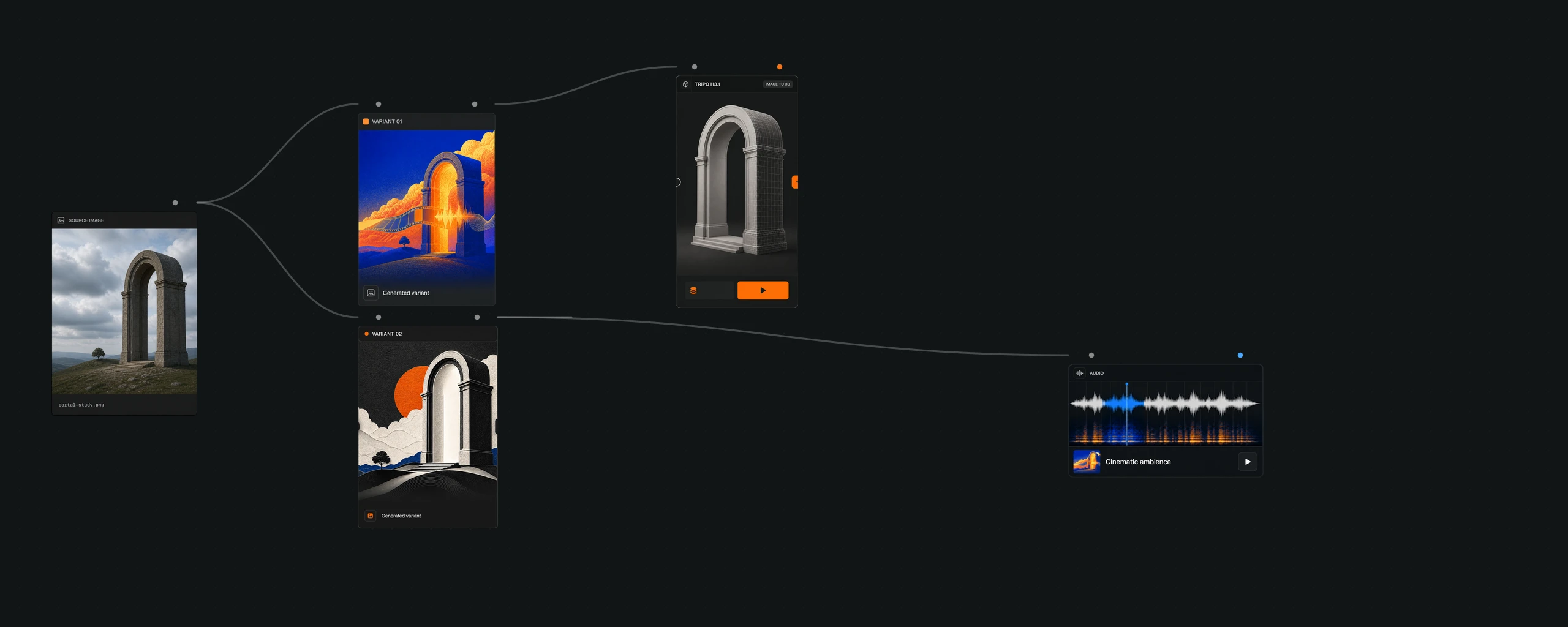
Source image
Then two image readings
Variant 01
Variant 02
Then 3D and audio
Image to 3D
Audio bed
Image, video, audio, and 3D on one canvas. The models stay in the stack. You stay in the work.
Start for freeOne canvas. Pick a path and run. You do not assemble a stack of models just to start.
 Blender
 Photoshop
 Substance 3D Painter
A space to imagine and make it real — image, video, audio, and 3D, for any studio that ships visual work.
Characters, props, concepts, environments, weapon skins. Still to mesh in the same thread.
Key art, look-dev, lighting, stills, and sequences. Find the frame before the set exists.
Marks, packs, campaigns, and 3D mockups. From first sketch to the shelf.
Spaces, materials, and light. Picture the room before it is built.
Silhouettes, fabrics, lookbooks, and form. Wearable studies on one canvas.
Characters, sets, stills, and shots. Image, video, and 3D in one thread.
Artyx keeps the whole creative thread in one desktop workspace: source files, images, video, audio, 3D, canvas structure, agent instructions, review, and exports. It coordinates specialist models and editors instead of hiding the workflow behind one prompt box.
Artyx Agent plans and executes bounded creative workflows against the active canvas. Ask is the default and pauses before tools that need confirmation. Auto lets eligible safe tools proceed automatically, while destructive actions retain stronger safeguards.
Your Artyx workspace is an ordinary local folder, with project metadata stored under .artyx. A generation sends the inputs required for that job to the selected provider. Review the Privacy Policy for the current data-handling details.
Usage rights can depend on the Artyx Terms and on the model provider used for a specific job. Review both before shipping an output commercially; the active provider is shown in the app.
Yes. Import Agent Skills, install marketplace plugins, or connect MCP servers over stdio, HTTP, or SSE. Artyx also supports round trips with Blender, Substance 3D Painter, Photoshop, Affinity Photo, GIMP, and Krita.
Artyx runs on macOS and Windows. The studio is built for image, video, audio, and 3D. Today the canvas accepts OBJ, GLTF, GLB, and FBX models, plus PNG, JPEG, WebP, and GIF images. Generated formats follow the live model catalog.
Higher tiers add volume, models and resolution.
For your first runs on the canvas.
Start for freeFor solo creators and side projects.
Get IndieFor artists shipping work every week.
Get ProFor teams at full production scale.
Get StudioPrices are subject to change. Any change takes effect at your next billing cycle — never mid-period.
Free to start. No card required.
Running a studio or team? Book a live demo →


